Quick answer: choose by track length and what is in the box
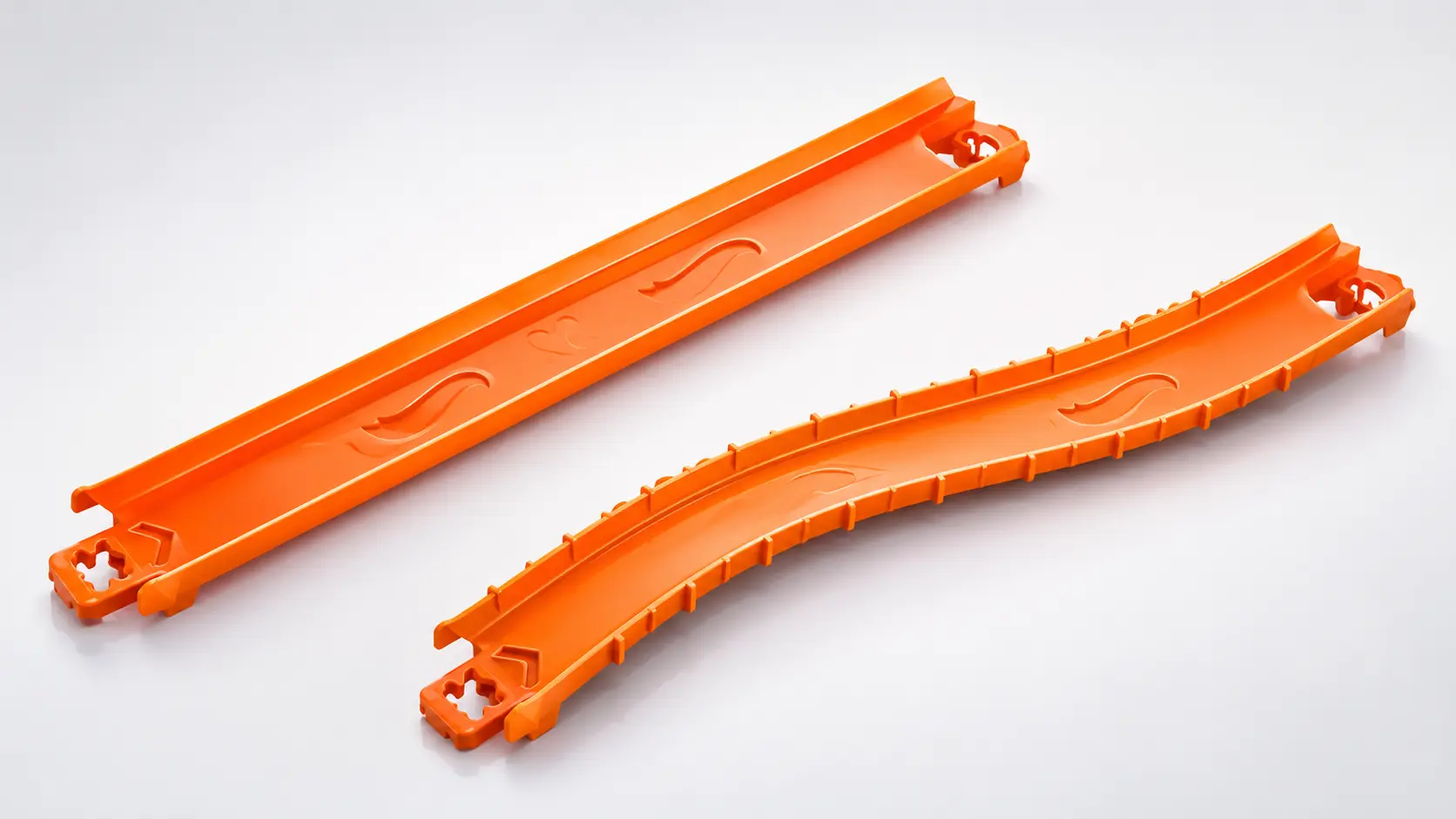
If you mainly need more track, start with the Track Creator Straight Track Pack (JDW41), but remember that it includes no car. The Car & Track Starter Pack (JDW43) combines 10 feet of track with one car, making it a practical first purchase. The Deluxe Track Pack (JDW42) supplies 25 feet and two cars for someone planning a larger build. All three are modular track packs rather than complete motorized stunt sets.
All three list two adapters for Mattel’s legacy e-track. Those adapters are a helpful bridge, but they don’t guarantee that every older orange-track piece or third-party accessory will connect the way you want.
This guide is about choosing among these three Speed Snap packs. It isn’t a review of every raceway, booster and stunt set. If you want that bigger picture, the HotWheelsHub guide to the best Hot Wheels track sets and drag strips covers whole layouts and speed-focused setups.
JDW41 Straight Track Pack
3 feet of track, three track sections, no car and two legacy e-track adapters.
See Amazon optionsJDW43 Starter Pack
10 feet of track, ten track sections, one car and two legacy e-track adapters.
See Amazon optionsJDW42 Deluxe Pack
25 feet of track, 30 track sections, two cars and two legacy e-track adapters.
See Amazon optionsThe three packs at a glance
| Feature | JDW41: Straight Track Pack | JDW43: Car & Track Starter Pack | JDW42: Deluxe Track Pack |
|---|---|---|---|
| Listed track length | 3 feet | 10 feet | 25 feet |
| Molded 12-inch straight pieces | 2 | 7 | 16 |
| Flex 12-inch pieces | 1 | 3 | 6 |
| Molded 6-inch pieces | None listed | None listed | 4 |
| Molded 3-inch pieces | None listed | None listed | 4 |
| Total track sections | 3 | 10 | 30 |
| Cars included | 0 | 1 | 2 |
| Legacy e-track adapters | 2 | 2 | 2 |
On mobile, scroll the table sideways to view all three packs.
Track-section counts exclude the two legacy-track adapters and any included cars.
Mattel does not list a motorized booster, a loop, a launcher or a storage case in any of these packs’ box contents. They supply track, adapters and, in two packs, cars. If you want a powered stunt course or a particular rigid curve, plan for additional compatible parts.
One Deluxe-pack detail can be confusing: its packaging says 30 tracks, meaning 30 track sections, while Mattel specifies 25 feet total. Some Amazon options may be labeled “30-ft.” Use the JDW42 model number and check for 30 track sections totaling 25 feet.
Which pack fits your situation
You’re starting from scratch. The Starter Pack (JDW43) is the smallest of these three packs that includes a vehicle. Its 10 feet of molded and flex track gives you pieces to arrange into a basic run. To get the car moving, you can start it manually or arrange a suitable incline for gravity; the box does not list a powered launcher. If you already own Hot Wheels cars, a track-only option may also make sense.
You want the most track and several section lengths. JDW42 has 25 feet in total and is the only one of these three with 6-inch and 3-inch molded sections alongside its 12-inch pieces. The shorter sections give you more ways to vary overall layout length. It includes two cars, but it is not a ready-made two-lane drag strip: having two vehicles in the box does not guarantee side-by-side racing.
You already own Speed Snap track and need a short extension. JDW41 adds three feet of track in a compact pack with no car. If your plan requires far more length, compare JDW43 and JDW42 by the sections you need rather than assuming the largest box always delivers the best value.
You own older orange track. Each pack lists two adapters for Mattel’s legacy e-track, so any of them may help you join old and new. Your decision then comes down to how much new track you want. Read the compatibility section before you buy, because the adapters have limits.
You’re buying a gift. If the recipient does not already own a car, JDW43 and JDW42 are more self-contained choices because they include vehicles. JDW41 makes more sense for someone who already has cars and wants to expand a compatible layout. None of the three lists a booster or a loop.
Check the three Speed Snap packs on Amazon
Choose the pack that fits your setup, then check its current Amazon options. Compare the model number, included parts and delivery details before ordering. Prices and sellers may change.
JDW41 Straight Track Pack
Add a short length of molded and flexible Speed Snap track to a build you already own.
Find JDW41 on AmazonThis button opens Amazon search results. Look for JDW41 with three feet of track, no car and two adapters.
JDW43 Car & Track Starter Pack
A starter kit for buyers who want a car and a useful quantity of track in one purchase.
Check JDW43 on AmazonSelect the 10-foot Starter Pack with one car and two legacy-track adapters. Check the selected buying option before ordering.
JDW42 Deluxe Track Pack
The largest pack here, with 30 track sections in several lengths for more flexible arrangements.
Check JDW42 on AmazonLook for JDW42 with 25 feet of track, 30 track sections and two cars. The “30” refers to sections, not feet.
What the missing pieces mean
JDW41 includes no car. That matters for gift buyers and anyone who expects a ready-to-run set. It is a track expansion: you provide the vehicle and either manually start it or create a gentle gravity-fed run.
JDW43 and JDW42 include cars but no motorized launch equipment in their listed contents. Mattel recommends a suitable incline for gravity-powered racing with JDW42. A car can also be started manually. The packs’ advertised footage adds up the lengths of separate sections; it is not a promise that any particular room or furniture arrangement will accommodate a continuous run of that length.
Speed Snap connections versus legacy e-track adapters
Speed Snap is the connection system used by these Track Creator packs. Its track sections are designed to connect to one another, while the two supplied adapters are described by Mattel as a bridge to legacy Hot Wheels e-track. Do not assume all older orange track uses the same connector or that two adapters are enough for every layout.
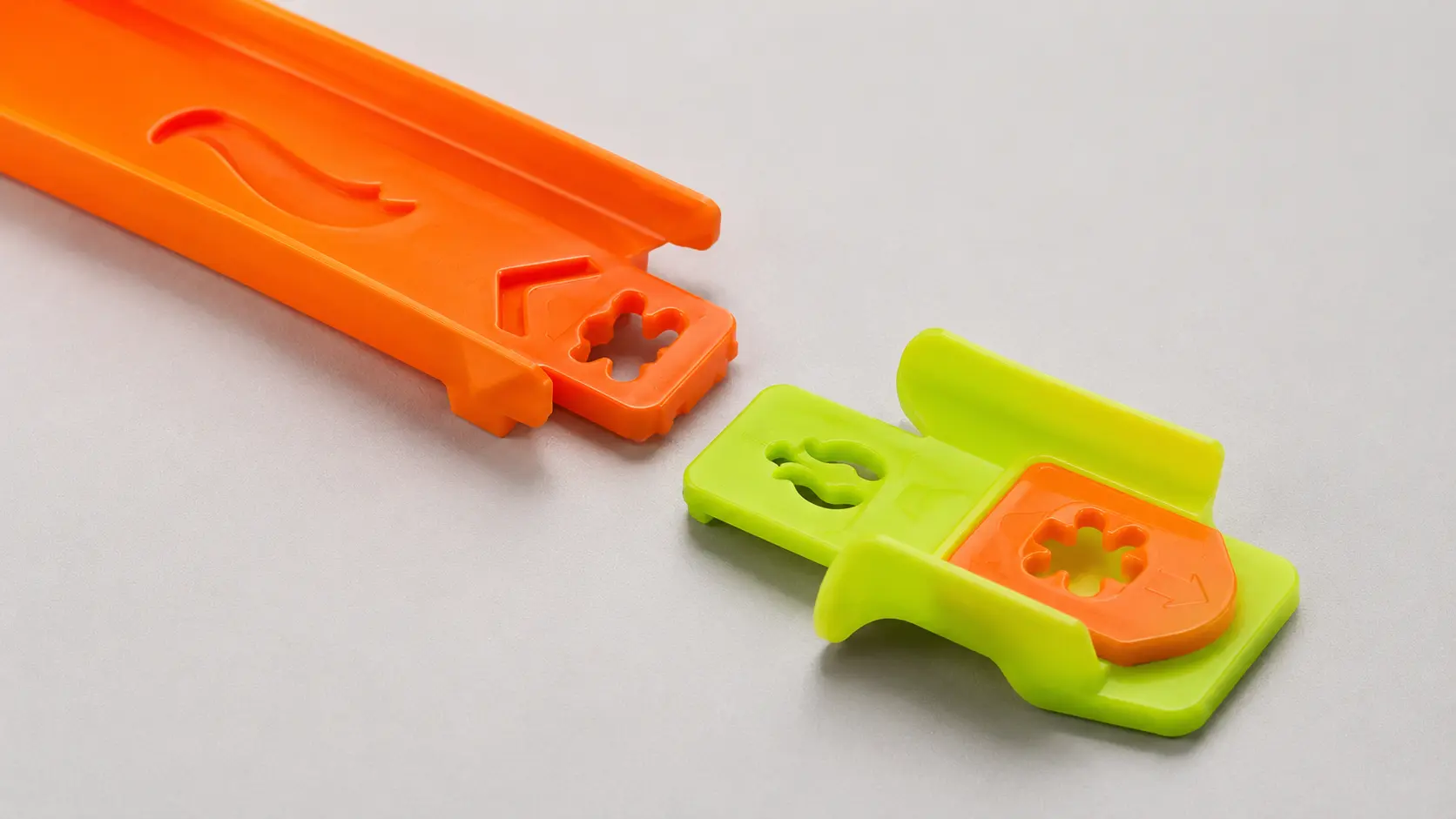
The adapters are not universal connectors. Mattel specifies compatibility with legacy e-track, but older clamps, launchers, loops and third-party accessories may use different fittings. Check each connection and accessory before planning a large mixed-track layout.
A practical way to check before you commit to a big layout:
- Identify the exact product you own. Check its set or part number and whether the connector is legacy Mattel e-track, another Mattel system, or a third-party design.
- Compare the connector ends. Look at the end of your existing piece and the adapter shown in Mattel’s product imagery. Do they appear to match in style?
- Check the orientation. Look at the pack’s instructions or insert to see how the adapters are intended to attach. Don’t force a connection that doesn’t seat easily.
- Test a small join first. Connect one old piece to one new piece before building the whole layout around that join.
- Keep expectations separate by accessory. Even if basic track joins work, a launcher, booster, loop or other accessory may need its own check.
Names alone are not a reliable compatibility test. Mattel still uses Track Builder branding in its current catalog, alongside Track Creator and Speed Snap. Check the specific model number and pictured connector system instead of assuming every “Track Builder” listing is an older, compatible product.
If you want to expand your track layout with buildings, service stops or rescue and stunt features, our guide to the best Hot Wheels City playsets compares four Speed Snap-compatible sets and explains what to check before connecting them.
What these packs won’t do on their own
- No independent powered stunt drive. None of the listed contents includes a motor or booster.
- No loops. Loops aren’t in the listed contents of any of the three.
- No fixed curve assortment. These packs use straight and flexible sections rather than a specified set of rigid curves. Check your planned layout before buying extra parts.
- No powered or automatic launch. You can start a car manually or make a suitable gravity-fed incline; separate equipment is needed for a powered start.
- Vehicle fit varies. Some cars may be too wide, too low or otherwise unsuitable for particular track features. Check the vehicle and layout together.
If your picture of a Hot Wheels setup includes boosters, loops or curves, treat these packs as the foundation for it. They aren’t the whole thing.
A shopping sanity check
Retailer pages change. Packs get relisted under similar names, variants get bundled together, and marketplace pages may mix products. Before you buy, confirm:
- The exact model number: JDW41, JDW43 or JDW42.
- The selected variant, not just the product title. A variant selector may describe length differently from the manufacturer.
- Which cars are included, and how many. JDW41 should list none.
- Age and safety guidance: Check the age label and warnings on the exact package, especially for a gift.
- Who is selling and shipping the item, especially on marketplaces with several sellers.
- Return terms in case the contents or connections aren’t what you expected.
- The listed contents against the table above, in case the manufacturer has since updated them.
How to compare value
Compare the current total price with the track length, section sizes and cars you will actually use. JDW41 is a short expansion for a setup that already has vehicles. JDW43 adds a car and more track, while JDW42 adds shorter adjustment sections and a second car. The cheapest pack per foot is not necessarily the best choice if it does not fit your space or planned layout.
Which pack should you buy?
- Buy JDW43 if you want the simplest first pack with a car and enough track to start building.
- Buy JDW42 if you want the longest run, the widest range of piece lengths, and two cars in the box.
- Buy JDW41 only if you need to add 3 feet of straight and flex track to a setup you already have, and you already have a car for it.
For live Amazon.com offers, return to the three-pack shopping comparison. Check the exact model before ordering.
The largest pack is not automatically the right one. A compact floor setup may not need 25 feet; a growing modular build may benefit from more sections and shorter adjustment pieces. Choose the contents that fit the space and layout you actually intend to build, then check current comparable offers before judging value.
Frequently Asked Question
What is the difference between JDW41, JDW43 and JDW42?
JDW41 provides three feet of track and no car. JDW43 includes ten feet of track and one car. JDW42 includes 25 feet of track and two cars. Each pack lists two adapters for legacy Hot Wheels e-track.
Does the JDW41 Straight Track Pack include a car?
No. JDW41 is a track expansion pack with three track sections, two legacy-track adapters and no included car.
Will Speed Snap adapters work with every older Hot Wheels track?
Not necessarily. Mattel describes the supplied adapters for legacy Hot Wheels e-track. Other older connectors, clamps, launchers and third-party track parts may need a separate compatibility check.
How many track sections come with each Speed Snap pack?
JDW41 includes 3 track sections, JDW43 includes 10, and JDW42 includes 30. These counts exclude adapters and cars. JDW42’s 30 sections total 25 feet of track.
Do the packs include a booster, loop or fixed curved track?
No powered booster, ready-made loop or assortment of rigid curved sections is listed in these three packs’ contents. They include molded straight and flexible track sections, so check what else you need for your planned layout.
Which Speed Snap pack is best for a beginner?
JDW43 is a practical first choice because it includes ten feet of track and one car. JDW42 suits someone who wants more building length and two cars. JDW41 is better for adding three feet to a setup that already has a vehicle.